Gentle Hue Style Creator
Reviews
Gentle Hue Style Creator keeps its scope narrow and consistent: pastel clothing, soft patterns, and drag-and-drop styling with no scoring or timers. The open-ended structure suits players who enjoy experimenting with color and pattern without a win condition, and the clearly labeled, family-friendly interface makes it accessible to younger users. The screenshot function gives completed outfits a purpose by letting players save and revisit them. The main limitation is that the game offers creative freedom rather than challenge, so players seeking goals or progression may find it too loose.
Description
Styling With Drag-and-Drop Simplicity
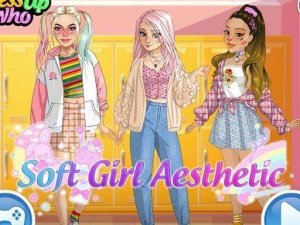
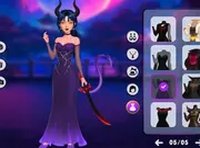
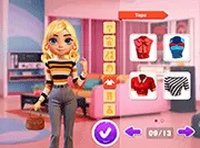
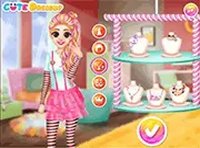
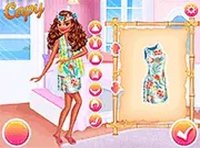
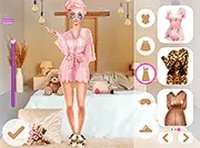
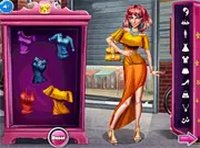
Players start by choosing a character, then dress them from a wardrobe built around soft colors and comfortable-looking materials. The interface uses drag-and-drop actions, so swapping a top or trying a different bottom takes only a moment. Layering is part of the process: a cardigan can sit over a top, and small decorative items such as glasses or hair bands finish the look. Because the controls stay simple, the attention stays on the outfit rather than on menus.
A Palette of Muted Tones and Soft Patterns
The visual identity leans on pastel pinks, lavenders, mint greens, and creamy whites. Patterns include florals, polka dots, and subtle stripes, which gives each piece a distinct feel without breaking the calm look. The muted tones and soft contrasts are consistent across the wardrobe, so mixing items rarely produces a harsh result. That consistency is what makes the styling feel gentle rather than busy.
Open-Ended Experimentation Without Scores
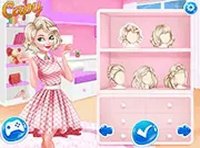
There are no strict goals, timers, or scoring systems. Players can pair textures and patterns that would not normally go together and see what happens. Changing hairstyles and adding accessories extends the same freedom. This open-ended structure supports creative thinking and self-expression, and it means the game never pushes toward a single correct outfit.
Saving Looks and Framing Outfits
Once an outfit is complete, a screenshot function lets players capture it and look back later. Some versions include different background settings to frame the outfits, which adds a presentation layer and helps players track how their style changes over time. The family-friendly design keeps buttons clearly labeled and items organized by category, making the game accessible for younger players and suitable for shared creative sessions.

Editorial Notes