Urban Speedway Tokyo
Reviews
Urban Speedway Tokyo focuses on accessible arcade racing rather than simulation. Its city circuits mix tight turns and long straights, and the several cars offer different grip and acceleration profiles, so track choice matters. Keyboard controls are minimal, and the bright, family-friendly visuals keep the tone light. The main limitation is the lack of multiplayer, but solo players who enjoy chasing faster lap times will find a solid, replayable challenge.
Description
City Circuit Design
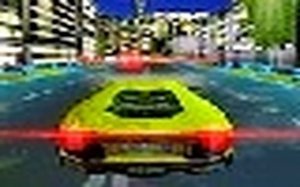
Urban Speedway Tokyo builds its races around city streets rather than closed tracks. Courses run through neon-lit roads and recognizable landmarks, mixing tight alleyways with wide boulevards. The layouts include a range of turns and straightaways, and the designers tuned them to challenge reflexes without overwhelming newcomers. Because each route has its own rhythm, the game encourages repeated runs to learn braking points and clean racing lines.
Vehicle Selection and Handling
The garage offers several cars, and each one steers and brakes differently. Some vehicles hold the road tightly, which helps in precise cornering, while others trade grip for stronger acceleration on long stretches. That spread lets you match a car to a circuit instead of relying on one universal setup. The handling model stays forgiving for beginners but leaves room for experienced players to chase faster lap times.
Controls and Accessibility
Inputs are deliberately simple: arrow keys steer, the space bar brakes, and a dedicated button lets you glance behind to check traffic. There are no complex menus or combo inputs to memorize, so the focus stays on driving. That straightforward scheme makes the game easy to pick up, and it keeps the challenge in reading the track rather than fighting the controls.
Visual Style and Atmosphere
Bright, colorful 3D graphics present Tokyo as a lively backdrop. Reflective surfaces and dynamic lighting reinforce the sensation of speed, while the clean, vibrant art direction keeps the tone family-friendly. The result is a racing environment that looks energetic without leaning on dark or violent imagery, which suits players of all ages.
Improving Your Performance
Success comes from balancing speed with control. Braking before sharp turns prevents skids, and learning how each car behaves helps you pick the right vehicle for a given track. Studying circuit layouts lets you anticipate curves and optimize your racing line. Regular practice is the main path to faster lap times and a more rewarding experience.








Editorial Notes