Tom and Jerry Memory Challenge
Reviews
Tom and Jerry Memory Challenge keeps its scope narrow and executes it cleanly. The four-card opening makes it approachable for younger players, while larger grids and move/time tracking give older players something to measure. The cartoon artwork and simple click-or-tap controls remove nearly all friction. Its main limitation is depth: the core loop never changes, so players seeking variety may find it repetitive after several rounds.
Description
Matching Pairs with Tom and Jerry
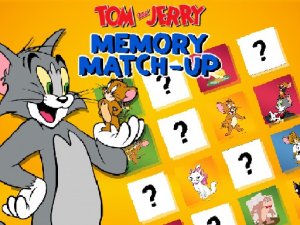
The goal in Tom and Jerry Memory Challenge is straightforward: flip two cards at a time to reveal the character underneath, then remember where each one sits. When both cards match, the pair stays face-up. Clear the board by finding every pair. The starting grid holds only four cards, so the first round is quick and forgiving.
Progression and Difficulty
After you clear a grid, the next round adds more cards to the board. That means more positions to track and a longer sequence of flips before you can finish. Moves and time are recorded each round, giving you a simple way to measure whether your recall is getting sharper. The difficulty curve stays gentle enough for young children but still gives adults a reason to concentrate.
Controls and Accessibility
Click or tap a card to flip it. The same input works whether you are on a computer mouse or a touchscreen finger. No registration, download, or payment is involved — the game loads directly in a browser. The interface is kept clean and child-friendly, and the artwork features Tom, Jerry, and other classic cartoon characters.
Approaches That Help
Rather than trying to memorize the whole board at once, focus on a few card positions per flip. On larger grids, slow down: rushing leads to mismatches and wasted moves. A quiet space makes it easier to hold positions in mind. Because each round shuffles the cards into a fresh arrangement, the game stays replayable without becoming predictable.








Editorial Notes